EV Lab primarily works by recording vehicle and location data as you drive and charge your vehicle. But if you record all or most of your vehicle’s activity, EV Lab can also interpolate useful information from activity that isn’t recorded – primarily AC charging sesions.
There are a couple of reason’s why it’s normally not possible to record AC charging sessions with EV Lab. First of all, you probably don’t want to leave your phone in your car for hours while the car charges. Even if you did, the OBD port generally won’t work if the car isn’t on (and usually you wouldn’t leave the car on while AC charging), and EV Lab can’t record if the OBD port isn’t working.
However, if the trips just before and after an AC charging session have been recorded, EV Lab can automatically deduce that a charging session has taken place. It can’t provide detailed information like charging curves, but it can calculate basic information like the amount of energy that the car received.
Here’s an example that shows two normally recorded trips on May 4 and May 5. In between these two trips, the car was charged with 12.5 kilowatt hours of energy..
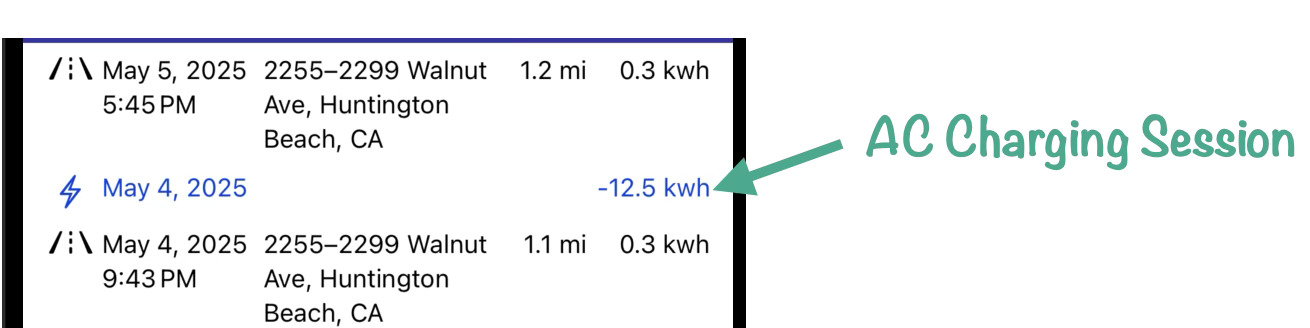
You can tell that row shows an AC charging session because
- The charging bolt is hollow (for a recorded session the bolt will be solid)
- The session time is not shown, only the date (EV Lab doesn’t really know the exact session time)
If you click on this session to see the detail you’ll find that only limited data is displayed for this charging session - the SOC change and amount of energy provided. (It also shows the elapsed time, but this is actually the time difference from the end of the previous drive to the start of the next drive. Most likely the actual charge session took less than 19 hours.)
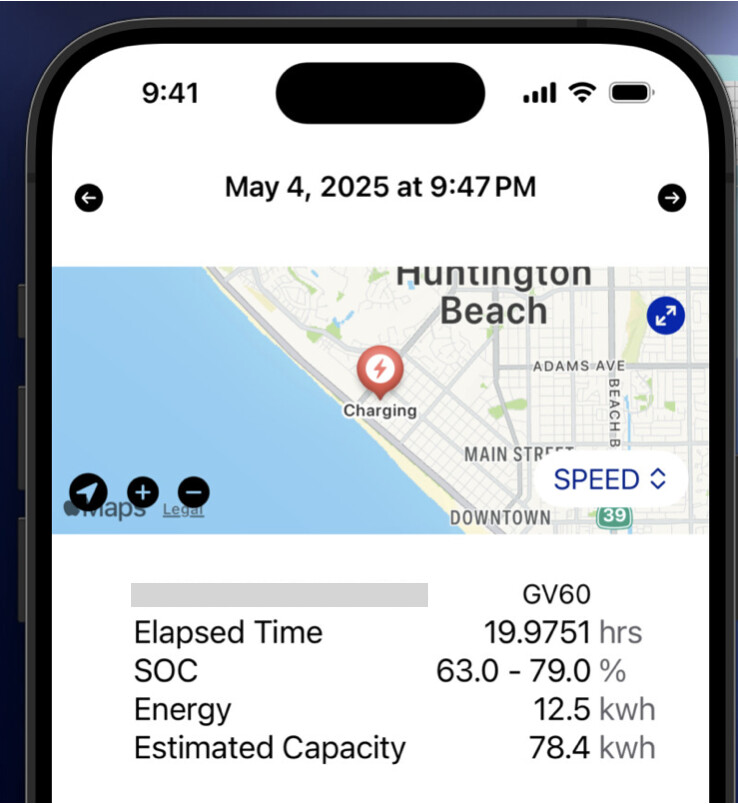
Since this AC charging session wasn’t recorded, EV Lab synthesizes the session by analyzing all of the recorded trips and noticing that the SOC increased between two trips. Since it knows the battery capacity of the vehicle, it is able to determine that a charge session occurred, and how much energy was provided.
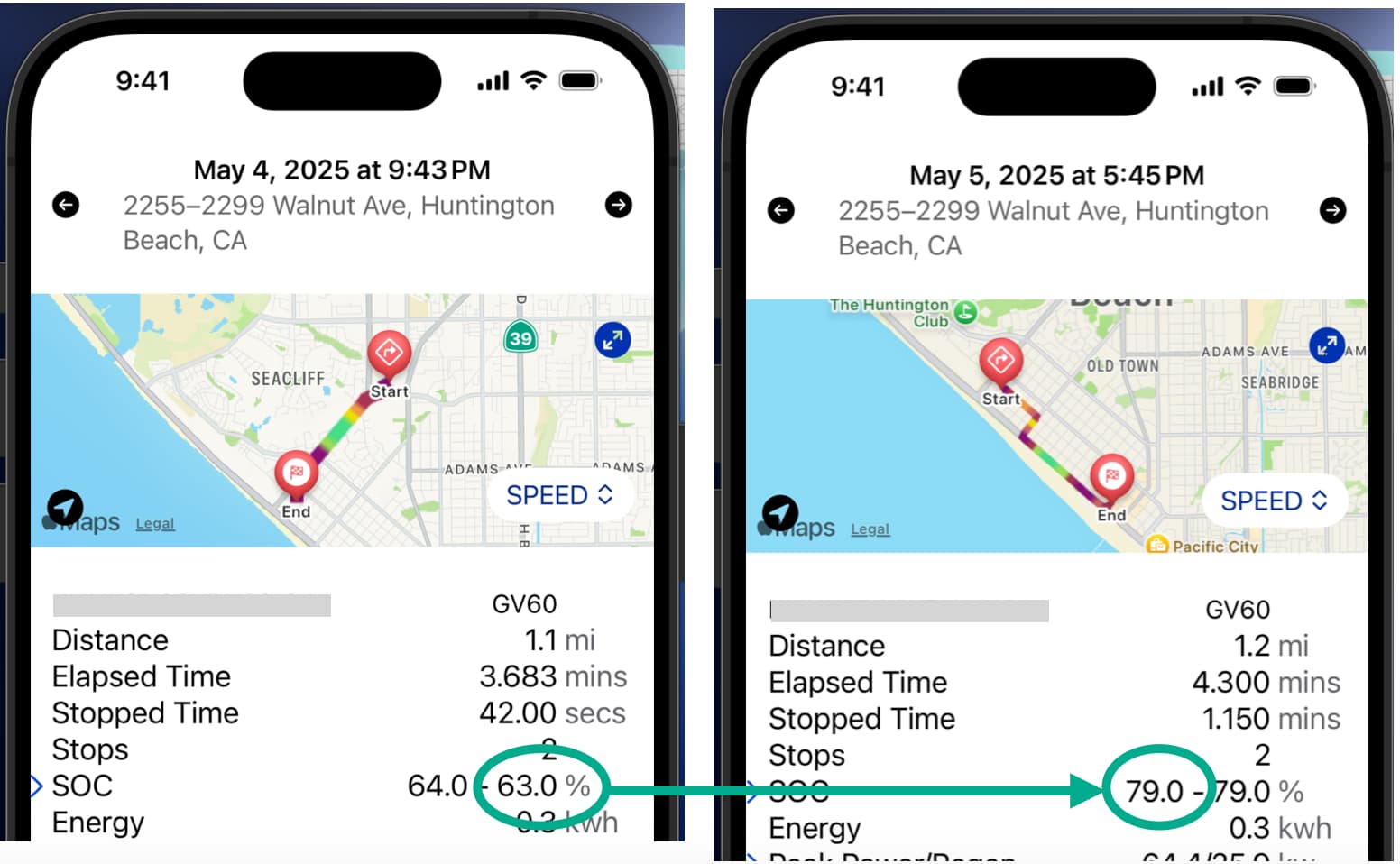
Note that EV Lab doesn’t actually store these interpolated sessions permanently. Instead, it calculates the missing sessions each time you open the app.
Occasional Missed Trips
EV Lab can also detect if a short trip wasn’t recorded. Here are maps from the end of one recorded trip and the start of the next recorded trip. If you look closely, you can see that the car was moved to a different parking stall, but this wasn’t recorded.
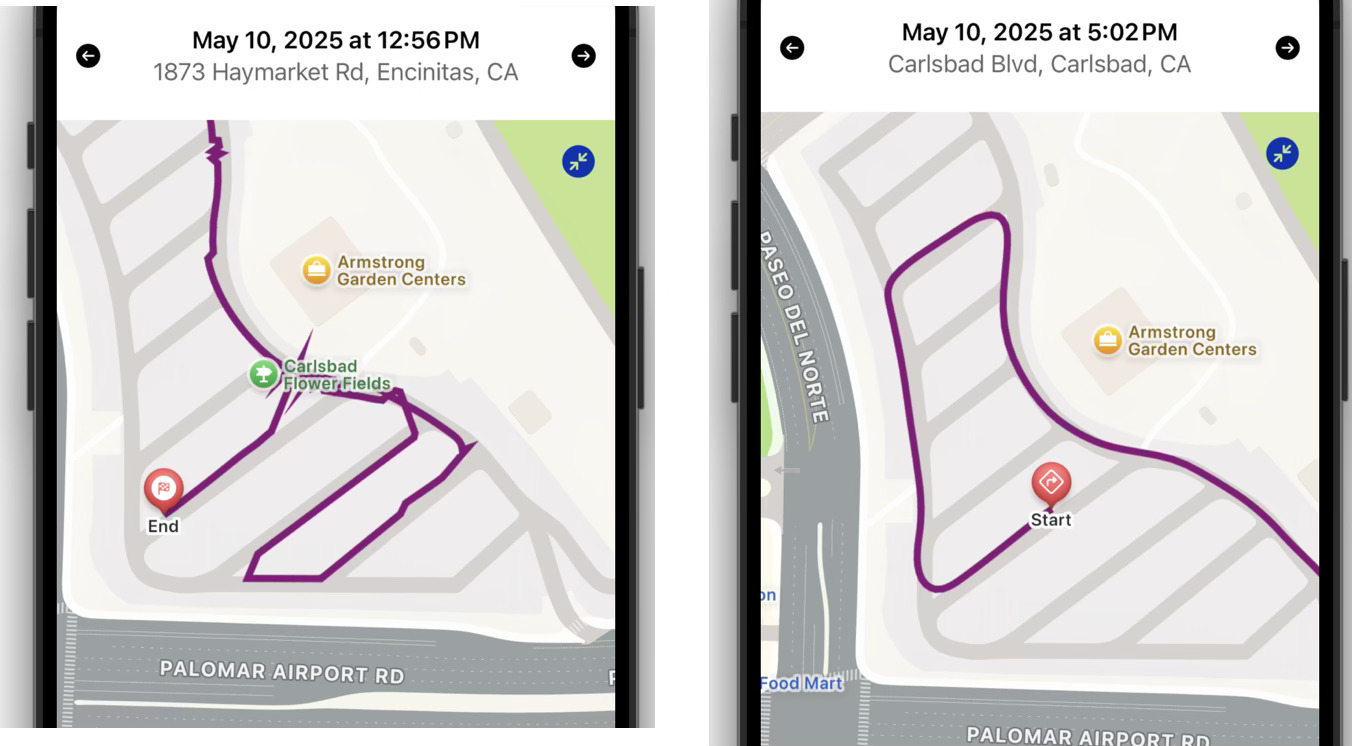
When you open the app, EV Lab will notice this discrepancy, and it will automatically synthesize the missing trip. Of course it can’t display detailed information about this missing trip, but it can calculate the energy used, and a rough distance based on the straight line distance between the start and end points.
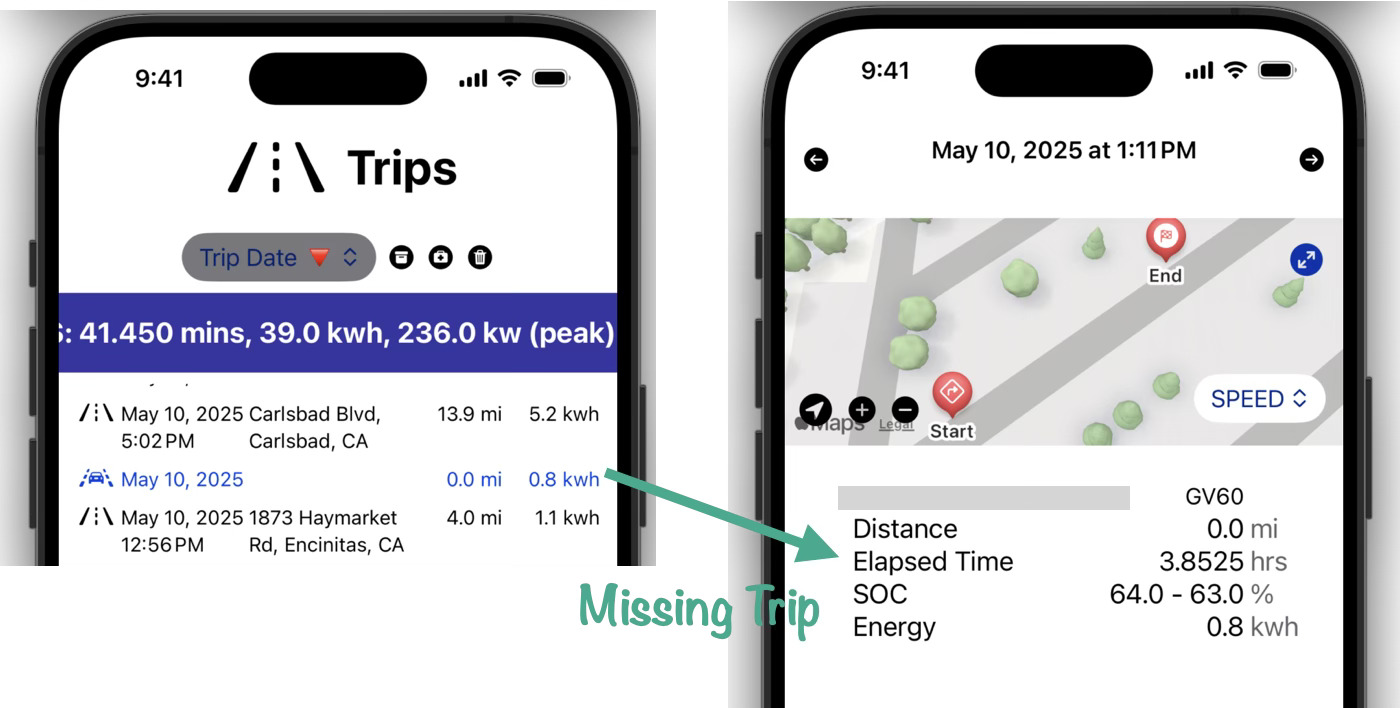
Here’s another example where the driver forgot to start the recording when starting a trip. After a couple of minutes, they remembered. EV Lab is able to recover the energy used and the approximate distance of the missing portion of the trip.
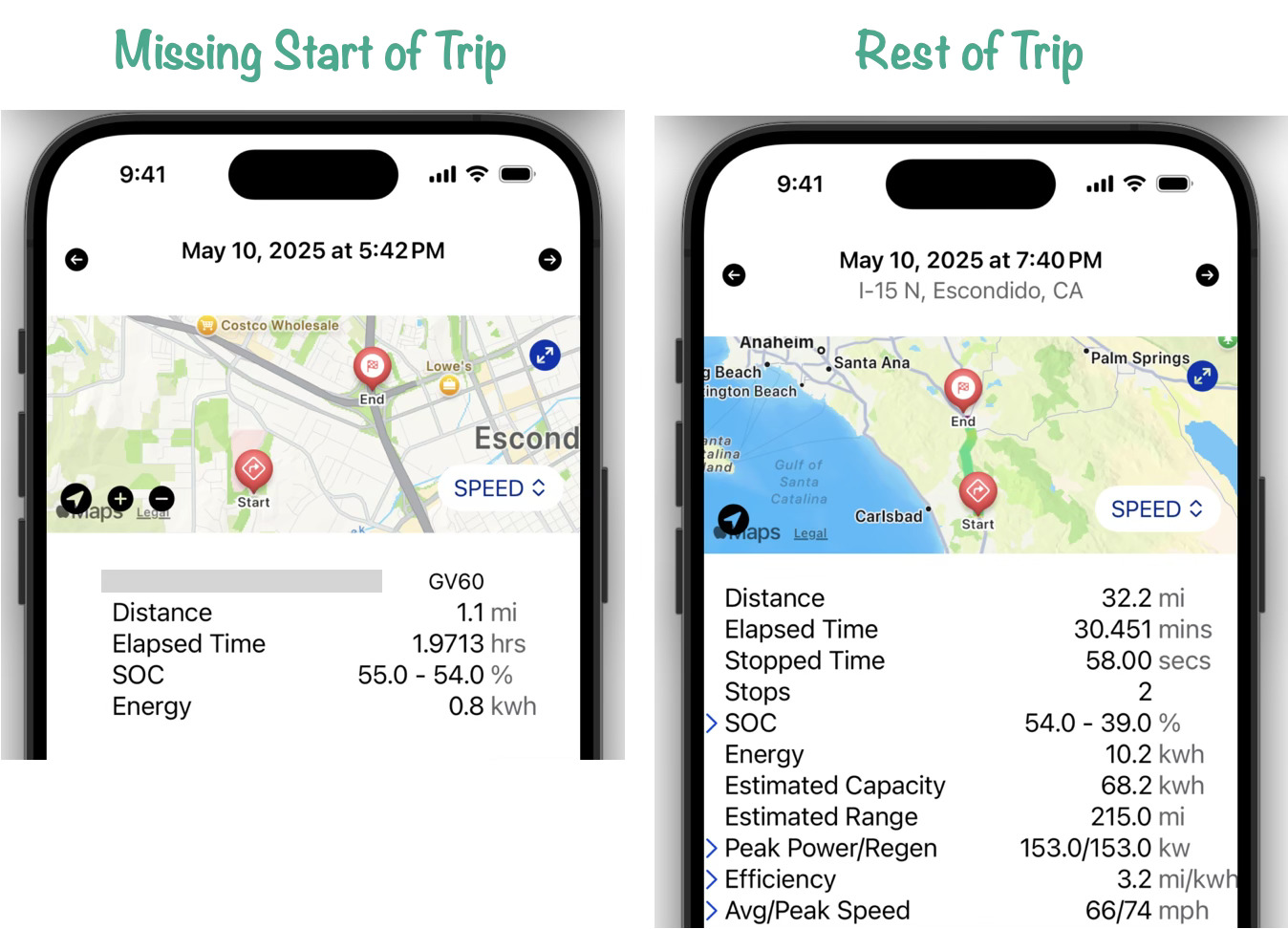
Of course EV Lab can only take this interpolation/synthesis technique so far. If you fail to record a long trip, or multiple trips, that missing data cannot be interpolated. For optimum statistical analysis, the best approach is to record all of your trips and fast charging sessions.